lightweight project management for research labs
Bench is built around how an academic research lab actually works. Grants, papers, projects, people, service work and teaching live in one calm place, with a short list of what matters today on top. It's native on Mac and iPhone, so use either or both, and it syncs through your own iCloud.
i. Today
Today gives you three buckets: Top Priority, Secondary Goals and Quick Wins. Anything you don't finish carries over on its own. Each task can link back to the grant, paper or project it belongs to, so you can see why it matters.

ii. Projects
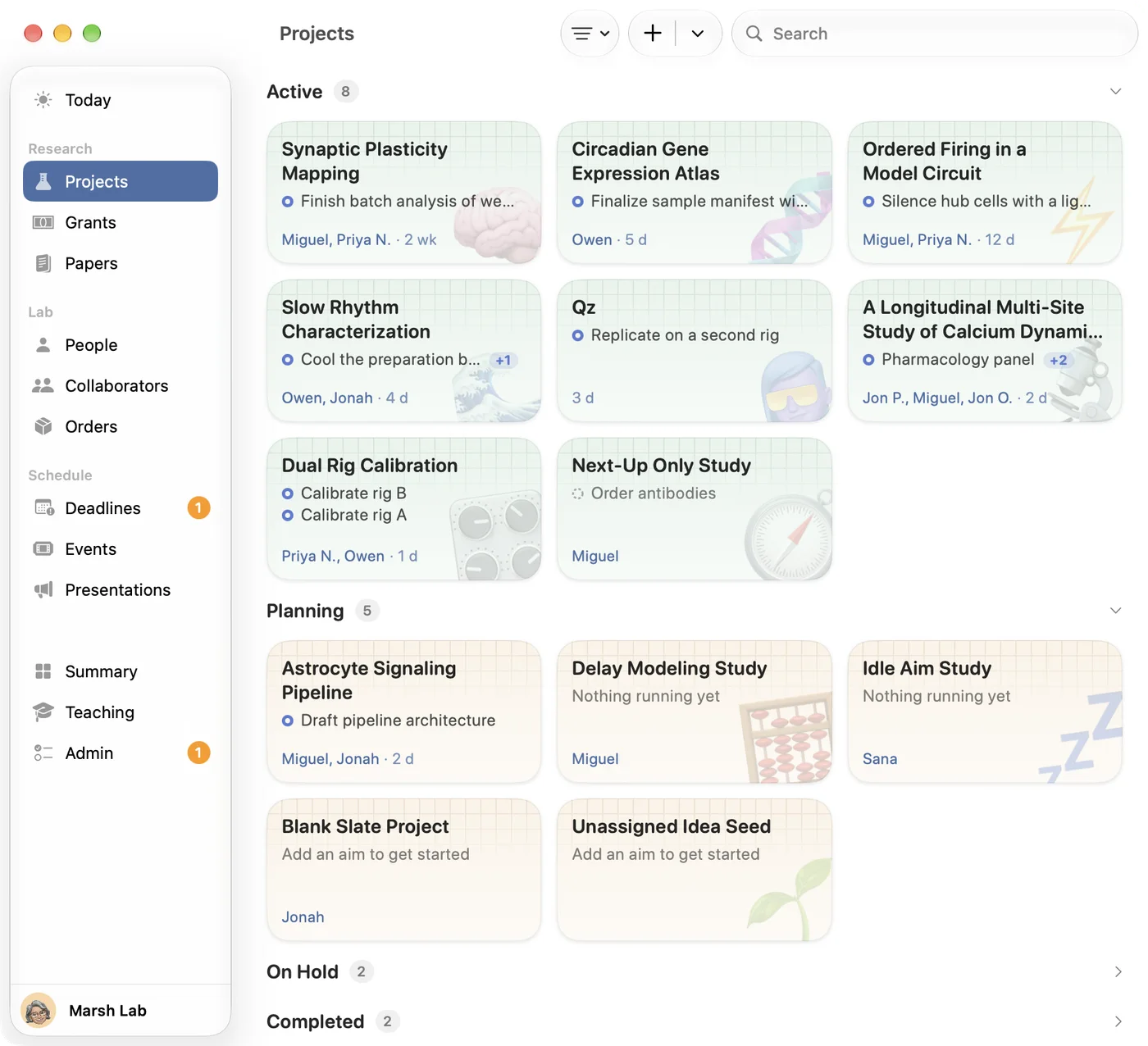
See every project in the lab at once. Each card shows the next step, who's on it and how long it's been waiting, so you can tell what's moving and what's stuck without opening anything.
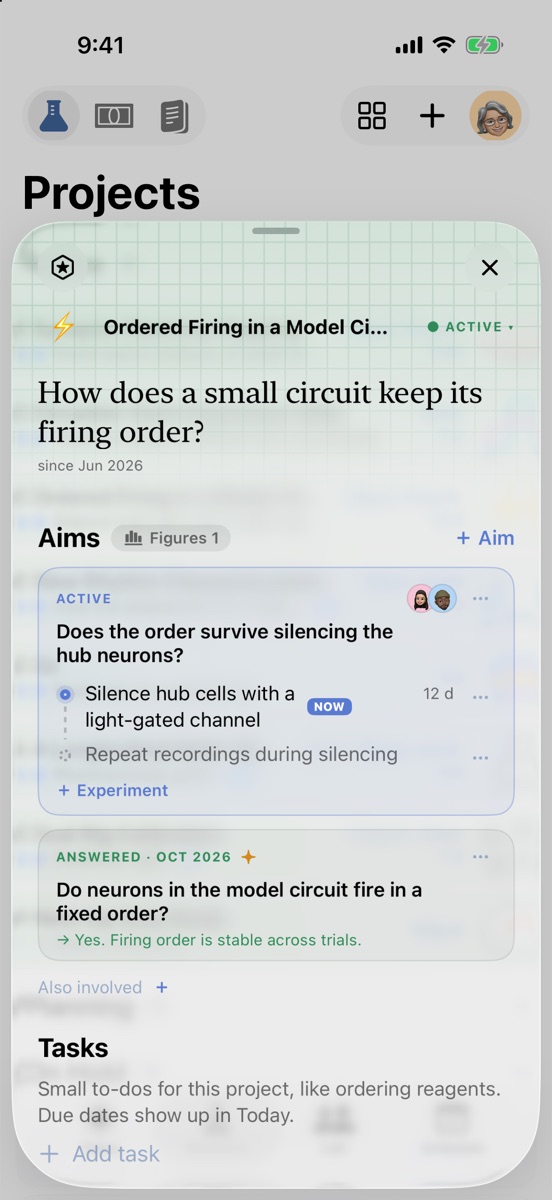
When you need the detail, open a project and it's all there: the question it's asking, its aims laid out as experiments, and the figures, links and people that belong to it.


iii. Grants
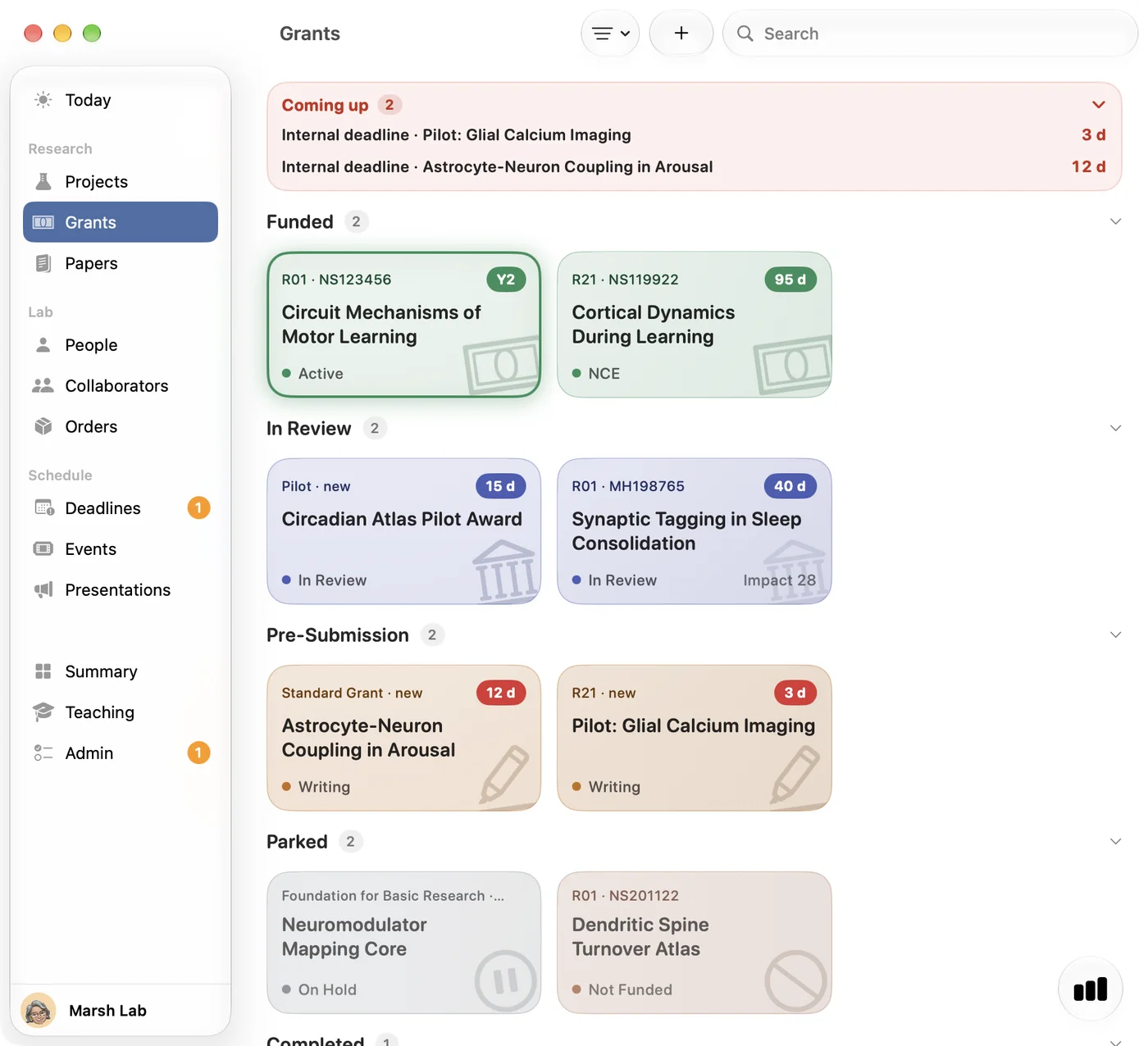
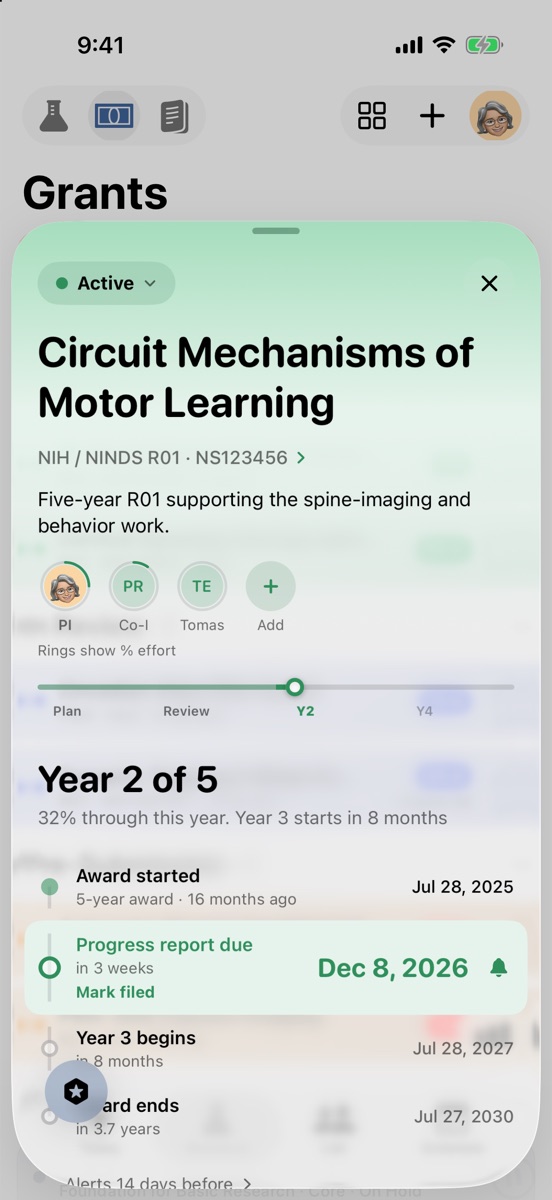
The grant pipeline runs from Pre-Submission to In Review to Funded. Upcoming internal and agency deadlines sit at the top. Open a funded award to see which year it's in, how far through that year you are, and when the next progress report is due. Proposals in review carry their impact score.


iv. Papers
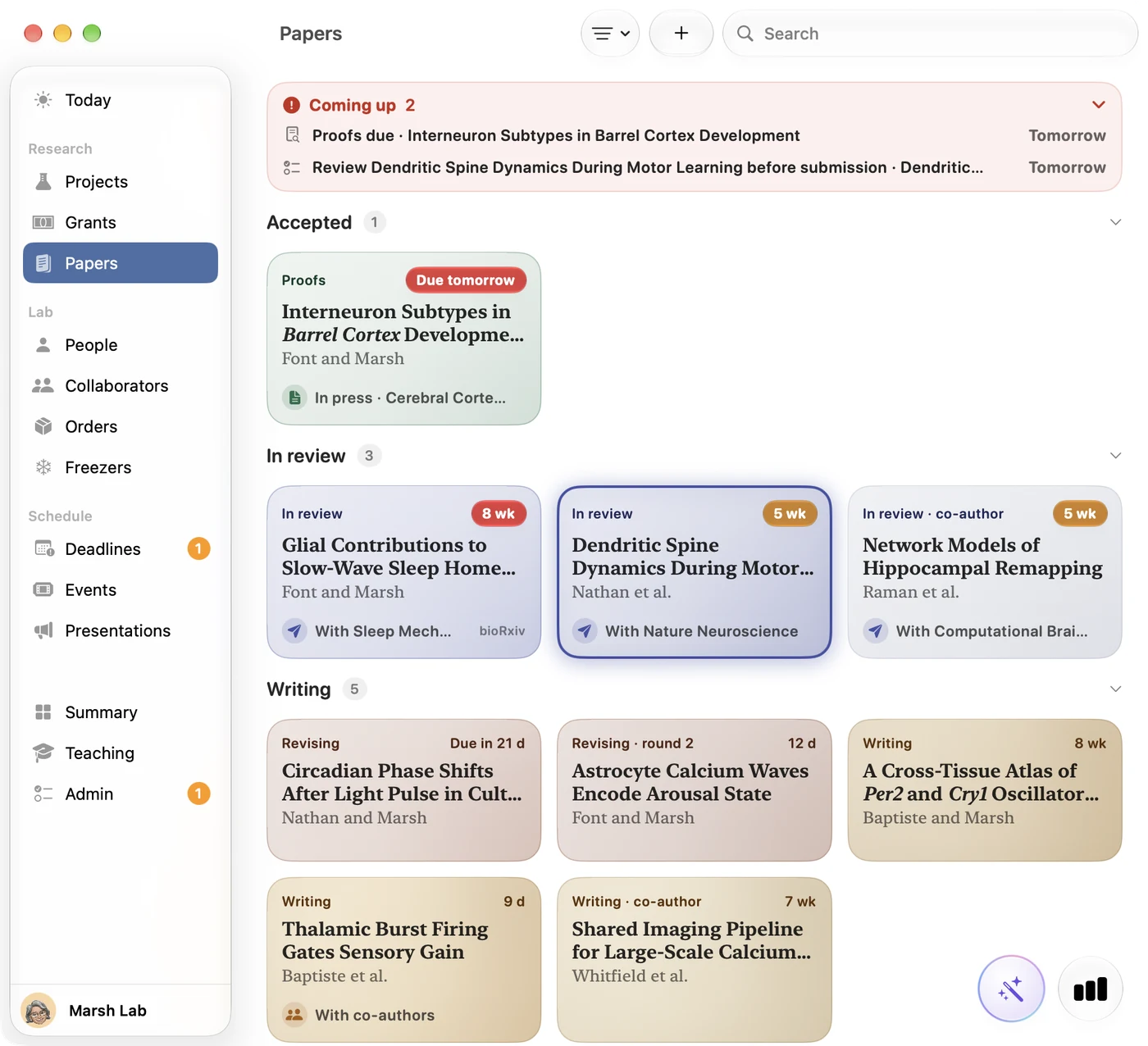
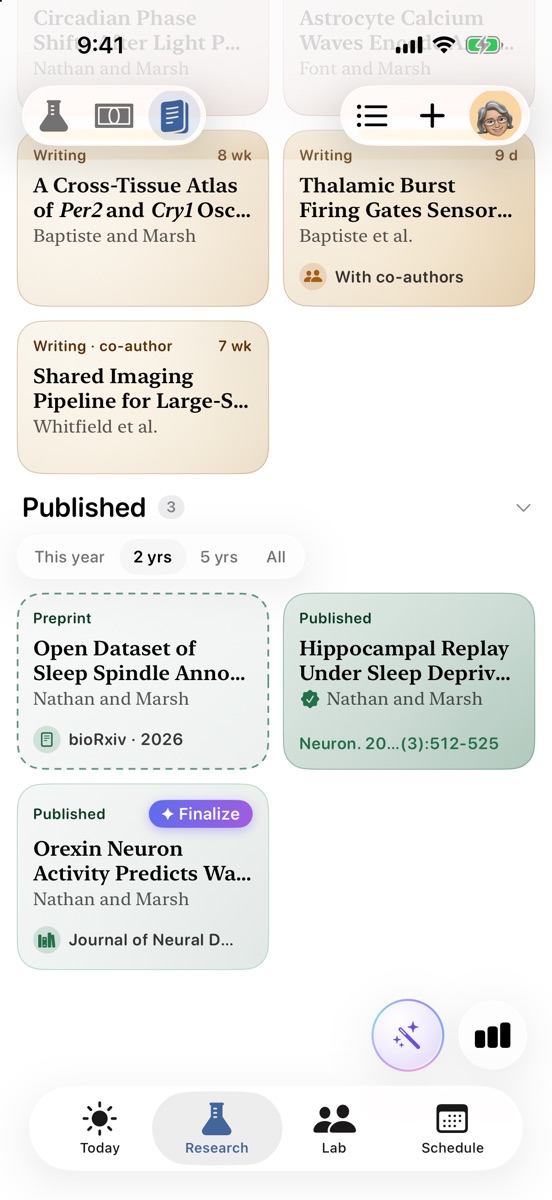
Follow every manuscript from first draft to print. Each card shows how long a paper has been sitting at its stage, so a stalled one is easy to spot, and each paper keeps a timeline of every submission, rejection and resubmission.
Then tap the magic wand. Bench checks PubMed for your papers in review, accepted or just out, and finalizes the ones that have been published, with the full citation filled in and a seal on the card.


v. People & lab
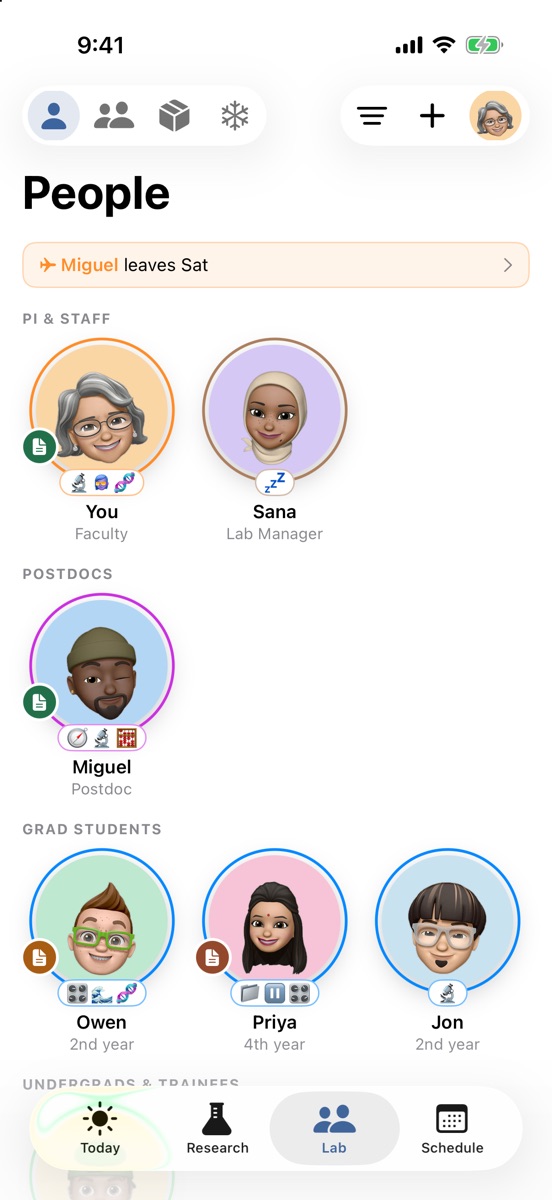
Everyone in the lab appears with their role, year and what they're working on, and upcoming time away shows at the top before it catches you out. Open a person for their projects, tasks, papers and training records.
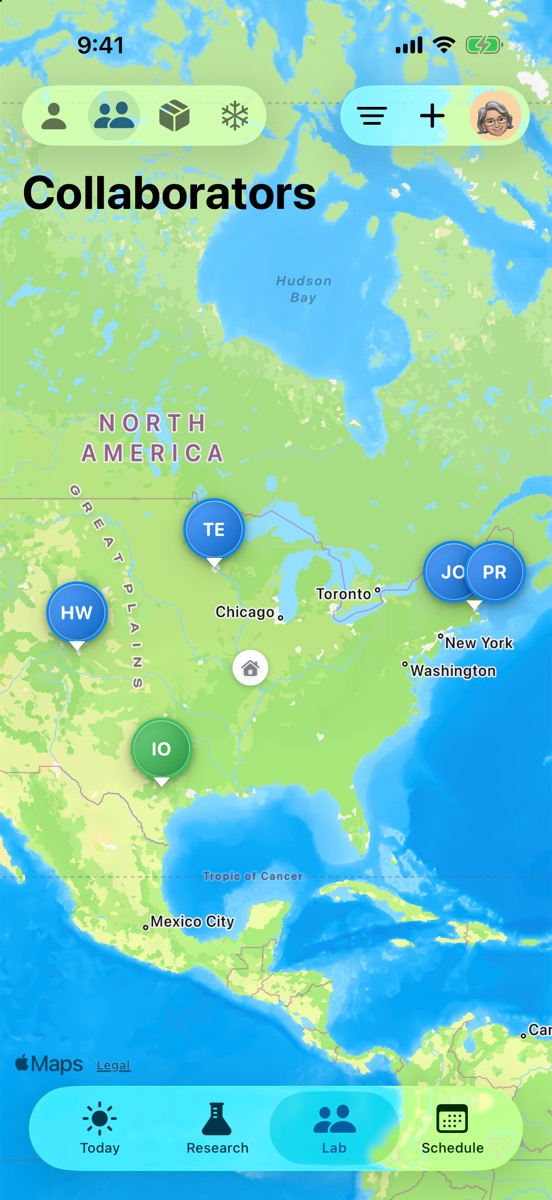
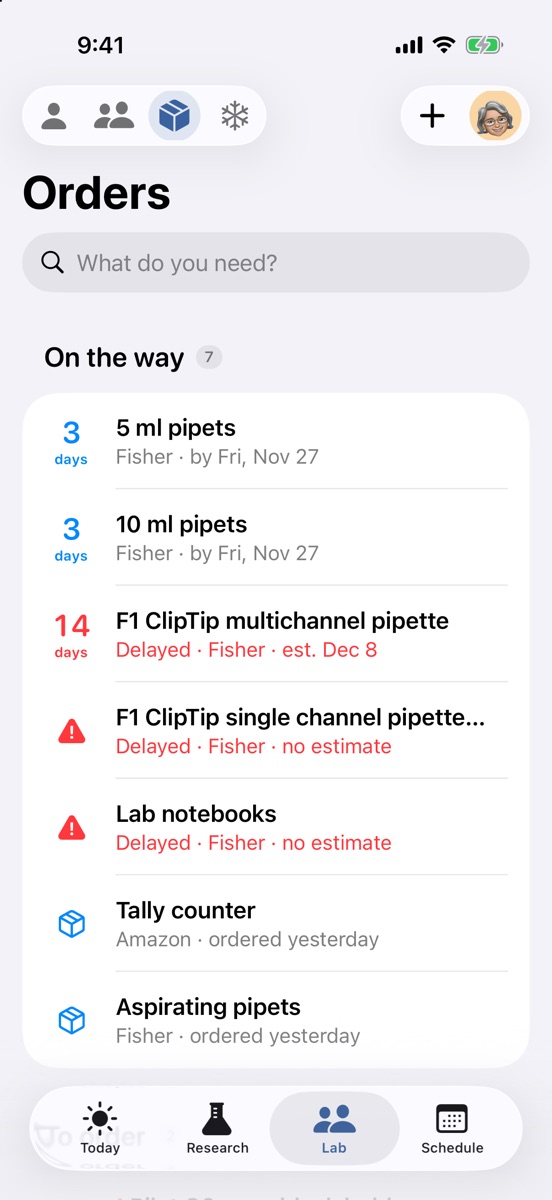
The rest of running a lab lives here too. Collaborators sit on a map, ranked by how closely you work together, and lab orders show what's on the way and what's running late.


vi. Service & admin
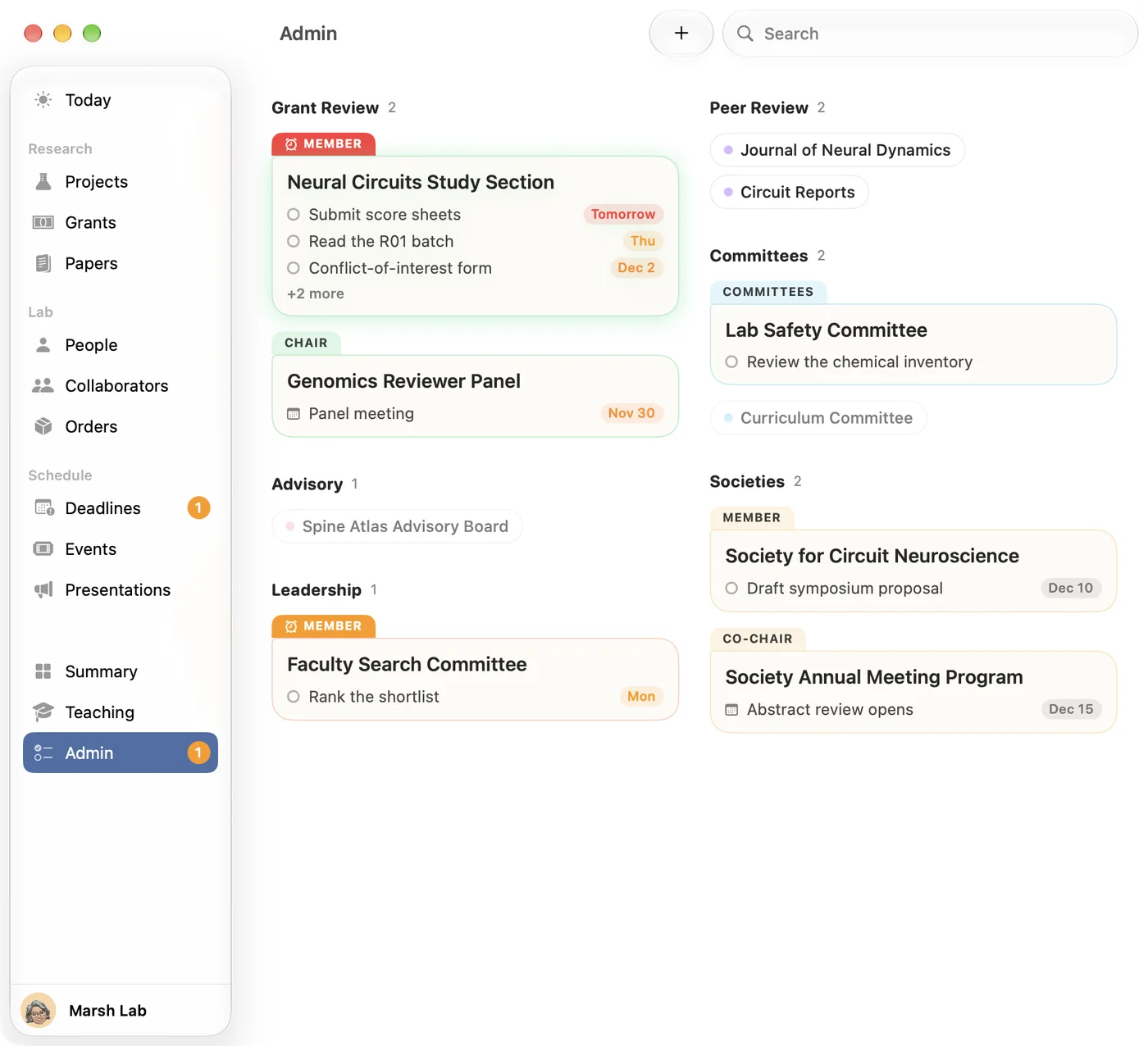
Study sections, peer review, committees, society roles: each role gets its own card, grouped into lanes, so you can see at a glance where your time is going. Busy roles show their next few tasks, and quiet ones shrink to a pill.
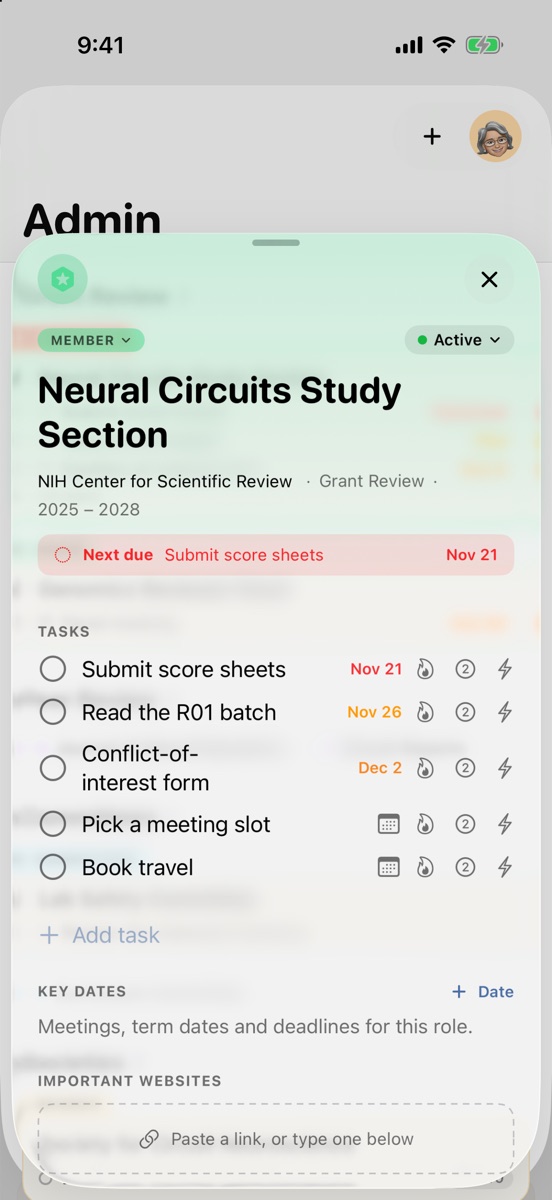
Open a role to find its tasks, key dates, important emails and links in one place. Its due dates flow into Today and Deadlines, so a score sheet never sneaks up on you.


vii. Deadlines & events
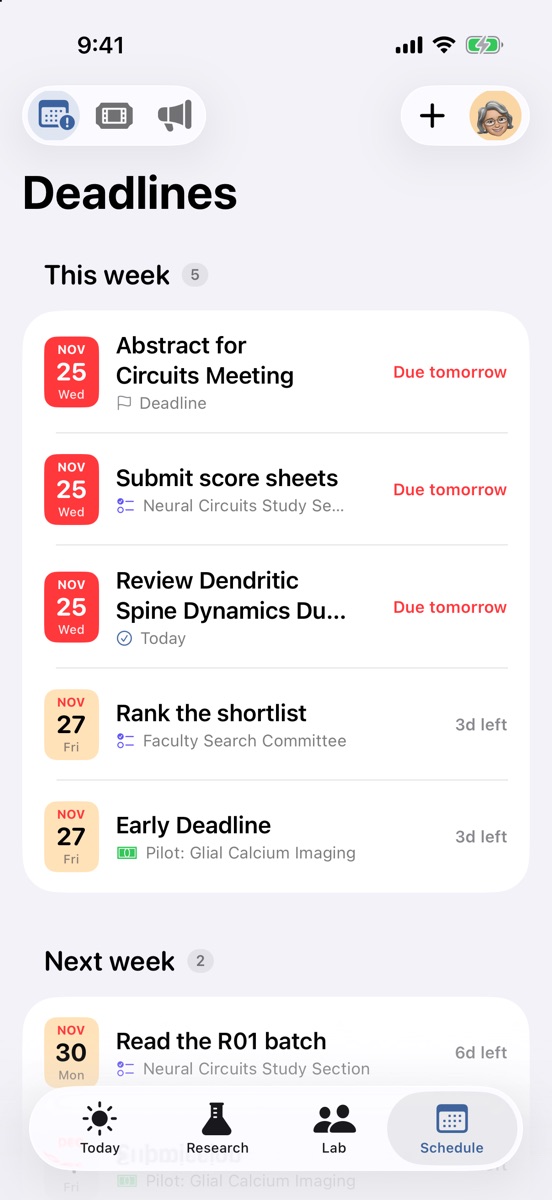
Deadlines are gathered for you from your grants, papers, committees and events, so you never retype a date. Each week is laid out the way you'd plan it, and each item shows where it came from.
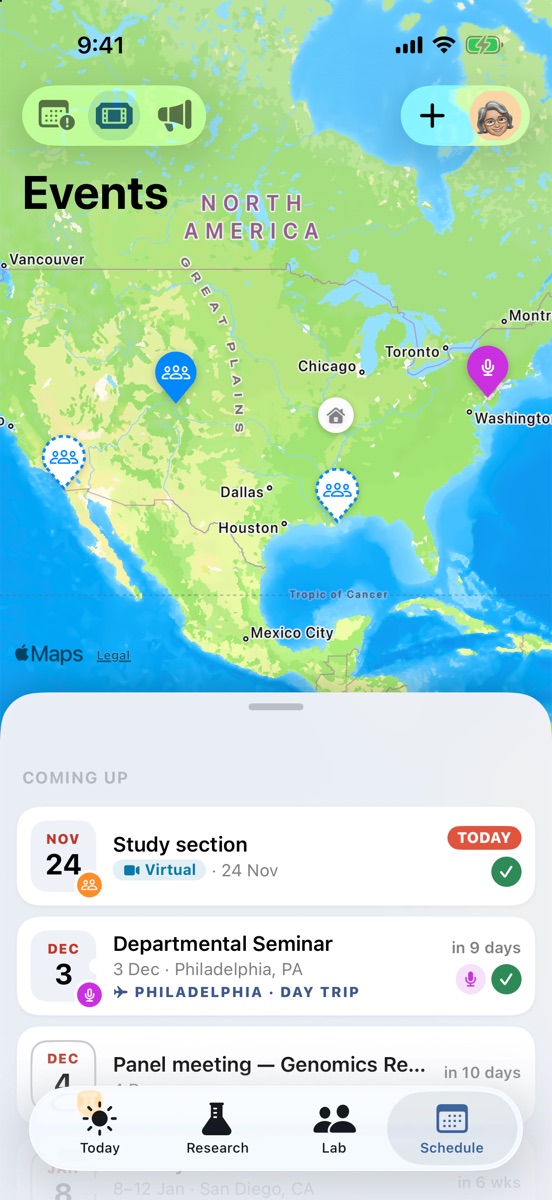
Events get a map of where the year takes you: conferences, seminars and study section meetings, each with its dates, your talk and what needs doing before you go.


viii. Teaching
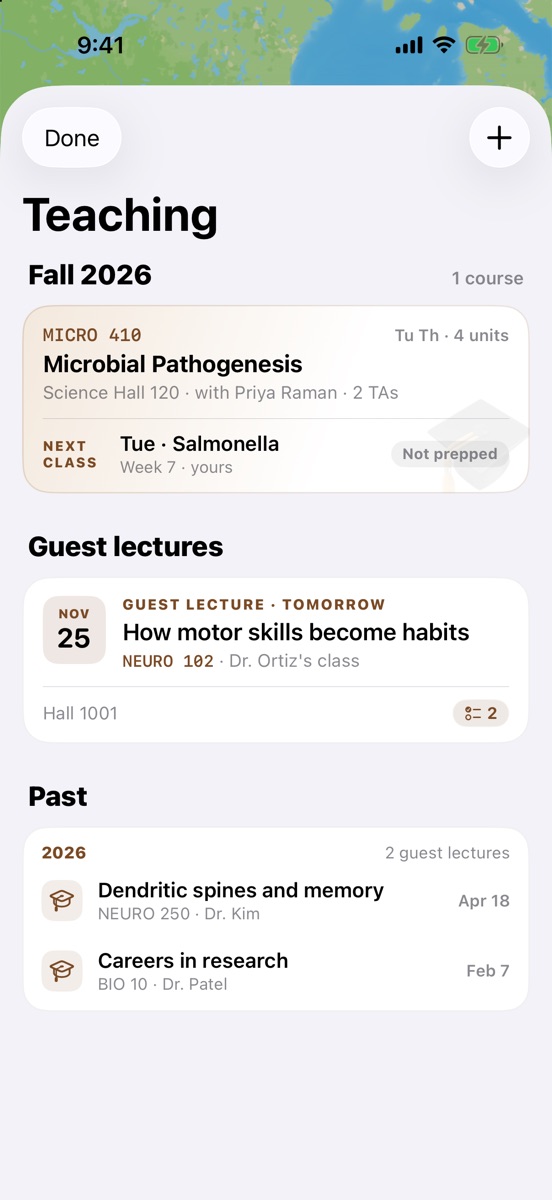
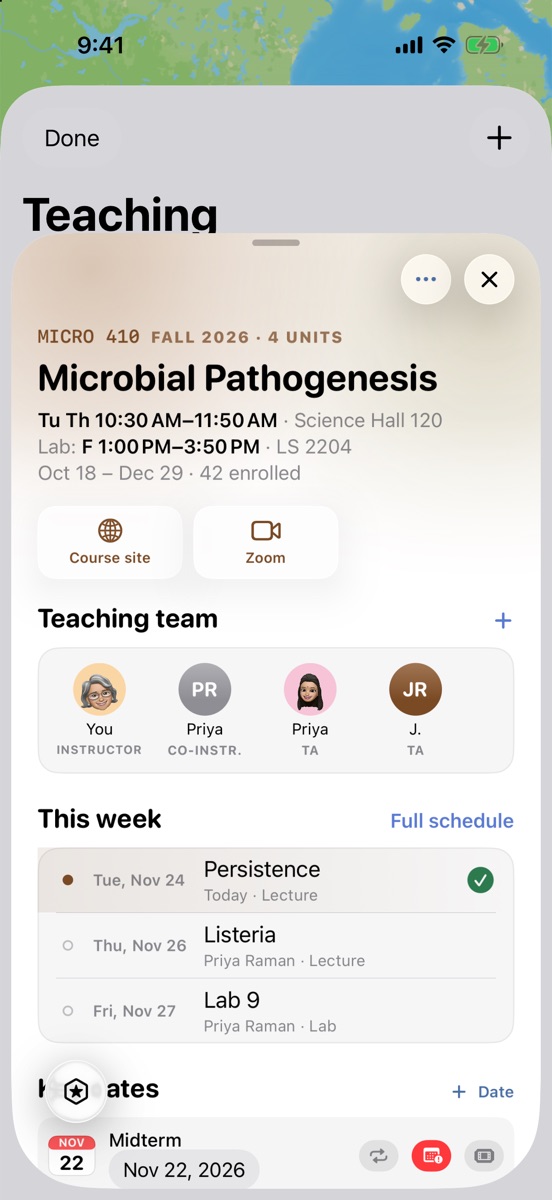
Each course shows its next class and whether you've prepped it. Open one for the meeting times, the teaching team, this week's sessions and the key dates for the term. Guest lectures you give in other people's classes are tracked too, each with its own prep list.


And the small things
Everything syncs through your own iCloud account. There are no servers and no sign-up.
Do the heavy data entry on the Mac and tick things off on your phone. Nearly every feature is on both.
Say "Add a Top Priority to Bench" from anywhere. Secondary Goals and Quick Wins work the same way.
Keep today's list on your Home Screen, and tick tasks off right from the widget.
Press and hold the app icon to add a task to any of Today's buckets.
One search covers projects, grants, papers, people, events and tasks.
Bench is early and personal. This is a sneak peek for a few friends and colleagues who run labs, while I get it ready to share. If it looks useful to you, I'd love to hear what you think.
Mac · Coming soon
A signed download that keeps itself up to date.
iPhone · Coming soon
The iPhone beta will arrive through Apple's TestFlight app.